
← 文章 / AI技术
Simon Willison 3小时前 · 2026-08-16 13:04:01 · 0 阅读

CORS Chat:浏览器直连 OpenAI 兼容 API 的聊天工具

工具 CORS Chat —— 直接在浏览器里与任何支持 CORS 头部的 OpenAI Responses 兼容 API 端点聊天。可以自定义请求头配置端点,在本地保存对话,并管理多个使用不同模型和推理设置的聊天会话。

我今天做了这个东西(用的是 GPT-5.6-Sol xhigh),是为了帮我测试在 M5 MacBook Pro 和一台 NVIDIA DGX Spark 上用 LM Studio 运行的 Qwen 3.8 27B。

它提供了一个 Web 界面,用来调用兼容 OpenAI Responses 的聊天端点。我已经在 LM Studio 的 --cors 模式和 OpenRouter 上试过,都能正常工作。

对话内容保存在浏览器里,也可以复制粘贴为 JSON 导出。一个有趣的小细节是:它能识别正在生成的 SVG 图片,在 token 还在流式输出的过程中就在聊天界面里逐步渲染出来。
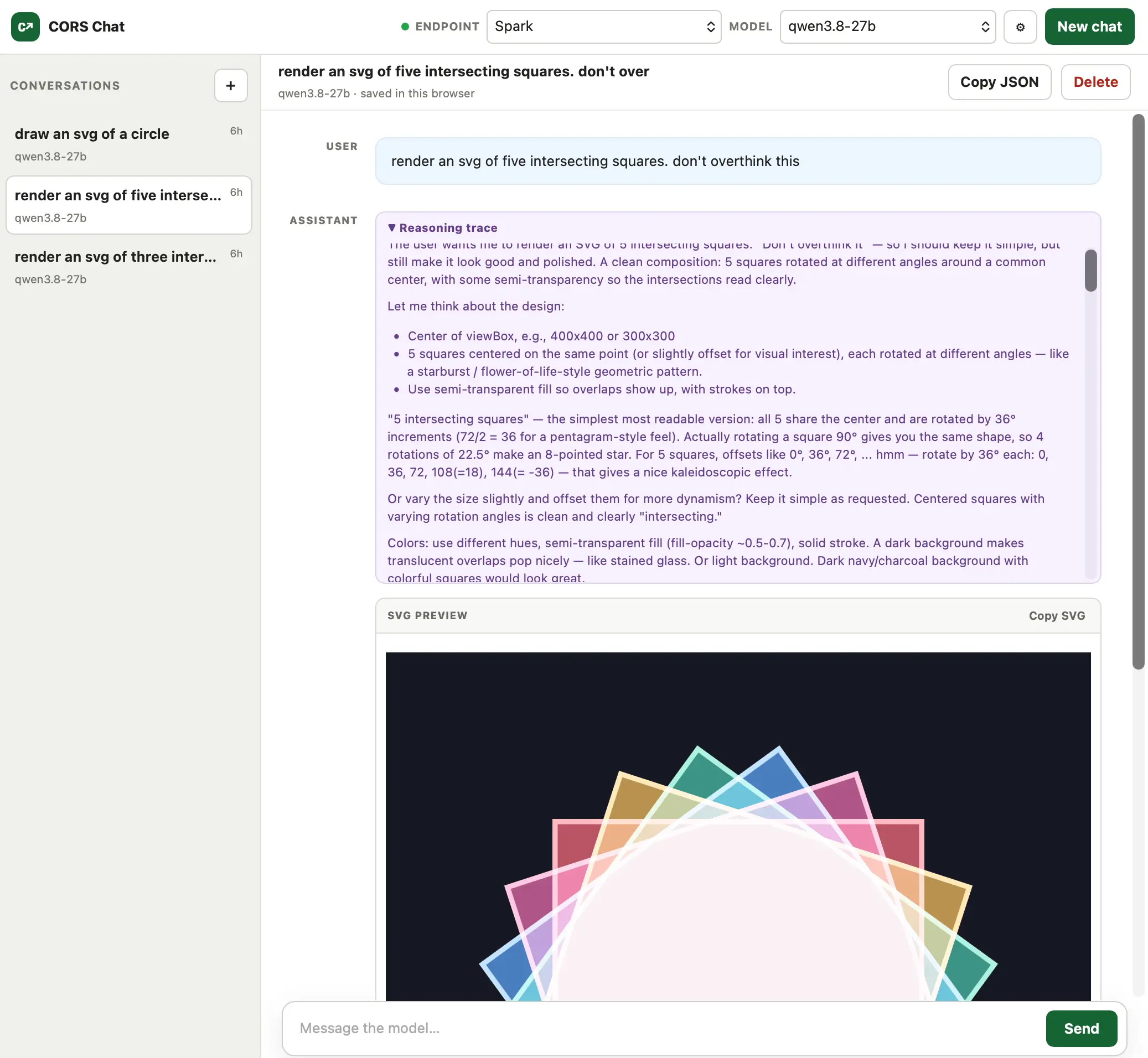
Alt text generated by Qwen-3.8 27B: Screenshot of the CORS Chat web interface. The left sidebar lists three saved conversations, with "render an svg of five intersecting squares" selected. The main panel shows a chat with the qwen3.8‑27b model: the user asked "render an svg of five intersecting squares. don't overthink this," followed by the model's reasoning trace describing the design (five semi‑transparent squares rotated around a common center on a dark background). Below is an SVG preview pane displaying five overlapping, semi‑transparent colored squares—pink, blue, green, yellow, and purple—with white outlines, rotated at different angles to form a starburst pattern on a dark navy background. Top controls include endpoint/model selectors and a "New chat" button; the bottom has a message input and a "Send" button.

原始来源: Simon Willison

评论 (0)